
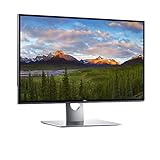
The Dell UP3218K is one of the most ambitious consumer monitors ever released. Designed for professionals who demand the absolute highest resolution available in a desktop display, this 32-inch 8K monitor pushes the boundaries of what a single screen can deliver. You can find the Dell UP3218K on Amazon if you want to explore current pricing and availability details.
This monitor targets a very specific audience: creative professionals, photographers, video editors, and visual artists who work with ultra-high-resolution content on a daily basis. It is not a general-purpose display, and understanding that distinction is key to evaluating whether it belongs on your desk.
Quick Answer
The Dell UP3218K is a 32-inch 8K IPS monitor with a 7680×4320 resolution, 6ms response time, and factory-calibrated color accuracy. It is built for professional creative workflows that demand extreme pixel density and color precision. It is not recommended for gaming or casual use due to its hardware requirements point.
Key Takeaways
- The UP3218K delivers a native 8K resolution (7680×4320) on a 32-inch IPS panel
- Factory color calibration makes it suitable for professional photo and video editing workflows
- Two DisplayPort 1.4 cables are required to run the full 8K signal at 60Hz
- Color coverage includes 100% Adobe RGB, 100% sRGB, and 98% DCI-P3
- It is not designed for gaming, casual use, or users without a compatible high-end GPU
- It competes directly with other high-end professional monitors from LG and ASUS in the 8K and 6K space
Display Quality and Resolution
What Does 8K Actually Look Like on a 32-Inch Screen?
At 7680×4320 pixels on a 32-inch panel, the UP3218K delivers a pixel density of approximately 280 pixels per inch (PPI). This is exceptionally high for a desktop monitor, meaning text appears razor-sharp and fine image details are rendered with extraordinary clarity. A standard 4K monitor at the same size delivers around 140 PPI. The UP3218K essentially doubles that, which is immediately noticeable when viewing high-resolution photography or 8K video content.
Panel Type and Color Performance
The monitor uses an IPS (In-Plane Switching) panel, which provides wide viewing angles and consistent color reproduction. Key color specs include:
- 100% Adobe RGB color gamut coverage
- 100% sRGB coverage
- 98% DCI-P3 coverage
- Delta E less than 2 from the factory, indicating highly accurate out-of-box color
These numbers are significant for professionals who need their display to accurately represent colors that will be reproduced in print or broadcast media.
Brightness and HDR
The UP3218K has a maximum brightness of 400 nits. While this is adequate for most studio environments, it falls short of the 1000-nit peak brightness found in premium HDR consumer displays. It supports HDR content display, but it is not a true HDR monitor in the high-dynamic-range performance sense.
Connectivity and Setup Requirements
Why This Monitor Need Two DisplayPort Cables?
This is one of the most common questions about the UP3218K. Running a full 8K signal at 60Hz requires more bandwidth than a single DisplayPort 1.4 connection can carry. The monitor splits the screen into two 4K halves, each fed by a separate cable, and then combines them internally to produce a single seamless 8K image.
This means your graphics card must have at least two DisplayPort 1.4 outputs, which is a critical factor to verify before purchasing.
Other Ports Available
- 3x USB 3.0 downstream ports
- 1x USB 3.0 upstream port
- SD card reader (UHS-II compatible)
- No HDMI port
The absence of HDMI is worth noting. This display is designed exclusively for high-bandwidth DisplayPort connections, reinforcing its professional-only positioning.
Design and Build Quality
The UP3218K follows Dell’s UltraSharp design language with a thin bezel, matte black finish, and a sturdy adjustable stand. The stand supports:
- Height adjustment
- Tilt
- Swivel
- Pivot (portrait mode)
The build quality is consistent with Dell’s UltraSharp lineup, which has a strong reputation for durability and ergonomic flexibility. If you’re familiar with other monitors in this lineup, such as the Dell P2219H, the UP3218K shares the same premium construction philosophy but at a significantly larger scale and price point.
Dell UP3218K vs. Competitors
The 8K and ultra-high-resolution professional monitor market is small but competitive. Here is how the UP3218K compares to its closest rivals.
The Dell UP3218K compared to the LG 32EP950 and ASUS ProArt PA32UCG shows clear differences in target use case and technical approach. The LG model prioritizes OLED contrast for video work, while the ASUS targets HDR-intensive workflows. The Dell remains the only true 8K option in this comparison.
| Feature | Dell UP3218K | LG 32EP950 | ASUS ProArt PA32UCG |
|---|---|---|---|
| Resolution | 8K (7680×4320) | 4K (3840×2160) | 4K (3840×2160) |
| Panel Type | IPS | OLED | IPS |
| Screen Size | 32″ | 32″ | 32″ |
| Color Gamut | 100% Adobe RGB | 99% DCI-P3 | 99.5% Adobe RGB |
| Peak Brightness | 400 nits | 1000 nits | 1600 nits |
| Response Time | 6ms | 1ms | 5ms |
| Best Use | Photo/Video Editing | Video/Broadcast | HDR Production |
The UP3218K wins on raw resolution but loses on brightness and HDR performance when compared to newer alternatives. For users who specifically need 8K resolution for native 8K content work, it remains unmatched in its class among standard consumer-accessible monitors.
Who Should Buy the Dell UP3218K?
Recommended For
- Photographers editing ultra-high-resolution images
- 8K video editors and colorists
- Graphic designers who require precise Adobe RGB accuracy
- Visual effects artists working with high-resolution
Not Recommended For
- Gamers (6ms response time and dual-cable setup are limiting factors)
- General home or office users (overkill for a compatible GPU with dual DisplayPort 1.4 outputs
- Anyone on a tight budget
If you are curious about whether a monitor can serve standalone purposes beyond a traditional PC setup, the article on standalone display use cases offers helpful context for understanding display versatility.
It is also worth understanding how display technology has evolved over time. The jump from standard HD to 8K is part of a broader trajectory in screen technology that connects to the history of color television and the ongoing push for greater visual fidelity in both broadcast and personal display formats.
Conclusion
The Dell UP3218K is a technically impressive monitor that delivers on its core promise of 8K resolution with professional-grade color accuracy. It is purpose with high-resolution visual content and need a display that can keep up with that demand.
For the right user, it represents a meaningful upgrade in workflow capability. For everyone else, the hardware requirements, limited connectivity, and specialty pricing make it a difficult recommendation outside of professional environments.
Frequently Asked Questions
Does the Dell UP3218K support 8K at 60Hz?
Yes, the UP3218K supports 8K resolution at 60Hz refresh rate. However, this requires two DisplayPort 1.4 cables connected simultaneously to a compatible graphics card.
What graphics card do I need for the Dell UP3218K?
You need a GPU with at least two DisplayPort 1.4 outputs that support the dual-cable 8K configuration. High-end NVIDIA and AMD professional or enthusiast cards from recent generations typically meet this requirement.
Is the Dell UP3218K good for gaming?
The UP3218K is not designed for gaming. Its 6ms response time and complex dual-cable setup make it a poor fit for fast-paced gaming, and very little game content is rendered natively in 8K.
Does the Dell UP3218K have HDMI?
No, the UP3218K does not include an HDMI port. It relies entirely on DisplayPort 1.4 connections, requiring two cables to achieve the full 8K resolution at 60Hz.
Is the Dell UP3218K still worth buying today?
For professionals specifically working with 8K content, it remains one of the few options available. However, newer monitors have surpassed it in HDR performance and brightness, so buyers should weigh whether 8K resolution alone justifies the investment for their specific workflow.
What is the response time of the Dell UP3218K?
The Dell UP3218K has a response time of 6ms. This is acceptable for professional creative work but is significantly slower than gaming monitors, which typically offer 1ms to 4ms response times.
Does the Dell UP3218K have built-in speakers?
No, the Dell UP3218K does not include built-in speakers. Users who need audio output will need to connect external speakers or headphones separately through their computer or a dedicated audio device.
Can the Dell UP3218K display 10-bit color?
Yes, the UP3218K supports 10-bit color depth, which allows it to display over one billion colors. This is an important feature for professional color grading, photography editing, and any workflow that demands precise tonal gradations.
How big is the Dell UP3218K?
The Dell UP3218K features a 32-inch IPS panel measured diagonally. Its overall dimensions with the stand are approximately 29.5 inches wide, 21.7 inches tall at maximum height, and 8.7 inches deep.
Is the Dell UP3218K good for photo editing?
Yes, the UP3218K is an excellent choice for professional photo editing. Its 100% Adobe RGB coverage, factory-calibrated Delta E under 2, and extreme pixel density make it one of the most accurate and detailed monitors available for color-critical photography work.
Can you use the Dell UP3218K with a Mac?
The UP3218K can be used with a Mac, provided the Mac has a compatible GPU capable of outputting dual DisplayPort 1.4 signals. Some Mac Pro configurations support this, but most standard MacBook or iMac setups will not be able to run the monitor at full 8K resolution without additional hardware.
Does the Dell UP3218K support picture-in-picture or picture-by-picture mode?
Yes, the UP3218K supports both Picture-in-Picture (PiP) and Picture-by-Picture (PbP) modes. This allows users to display content from two separate sources simultaneously, which can be useful in multi-device professional workflows.
This article was last updated on May 20, 2026 .
