
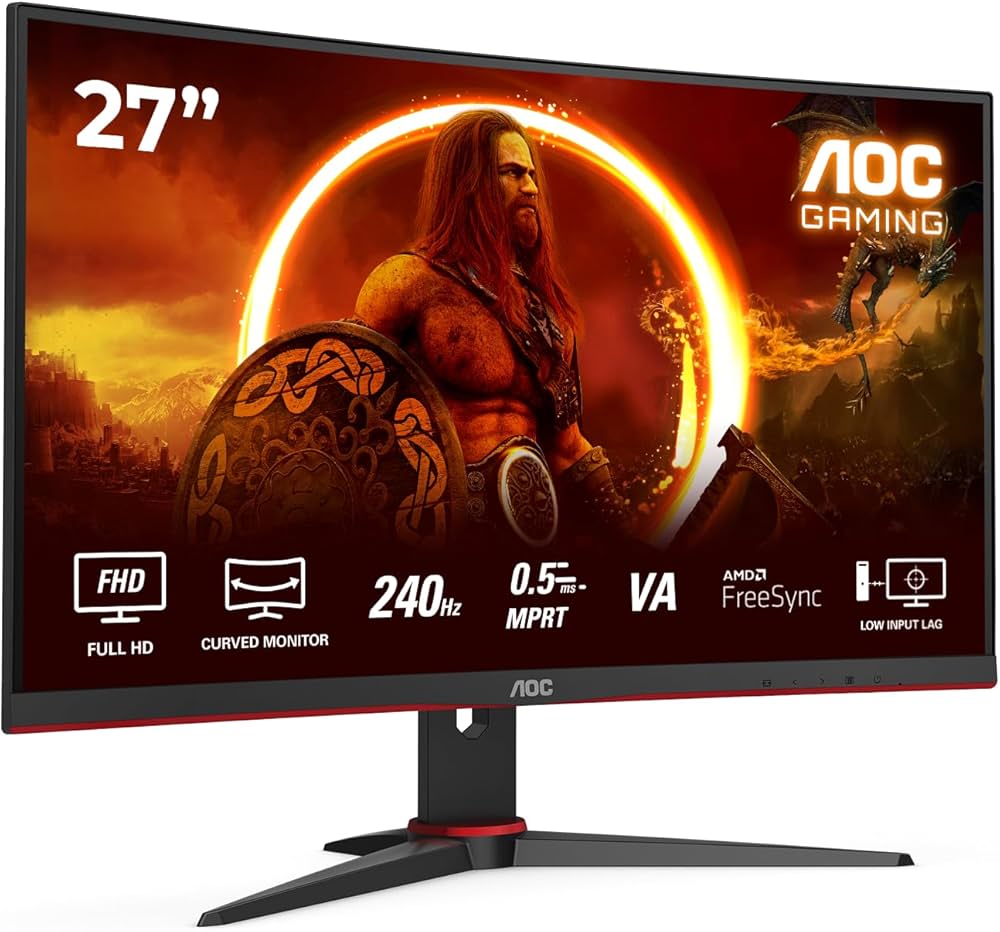
AOC is one of the most widely recognized monitor brands in the world, offering a broad range of displays for gaming, productivity, and everyday use. Whether you’re building a new workstation or upgrading your gaming setup, understanding what AOC monitors offer helps you make a smarter purchasing decision.
This guide covers everything from panel types and refresh rates to who AOC monitors are best suited for, giving you a clear picture before you spend a dollar.
Quick Answer
AOC monitors are reliable, budget-to-mid-range displays known for strong value across gaming and office use cases. They offer a wide product lineup including IPS, VA, and TN panels, with refresh rates ranging from 60Hz to 240Hz. AOC is a solid choice for buyers who want dependable performance without paying a premium price.
Key Takeaways
- AOC offers monitors across multiple categories including gaming, productivity, and professional use
- Panel options include IPS, VA, and TN, each with different strengths in color, contrast, and speed
- Refresh rates range from 60Hz for everyday use up to 240Hz for competitive gaming
- Most AOC monitors fall in the budget-to-mid-range price segment, typically $100 to $400
- AOC supports adaptive sync technologies including AMD FreeSync on many models
- Build quality and ergonomics vary by model, so checking specs per unit is important
What Is AOC and Where Do Their Monitors Come From?
AOC International is a monitor brand owned by TPV Technology, one of the largest display manufacturers in the world. Founded in 1967, AOC has grown into a global brand with a particularly strong presence in North America, Europe, and Asia.
Because TPV also manufactures displays for other major brands, AOC benefits from large-scale production efficiency. This is a key reason why AOC monitors often deliver competitive specs at lower price points compared to some rivals.
What Types of Monitors Does AOC Make?
AOC produces monitors across several distinct categories:
- Gaming monitors: High refresh rates, low response times, and adaptive sync support
- Office and/creative monitors: Higher color accuracy and wider color gamut coverage
- Budget everyday monitors: Basic 1080p displays for general home and office use
This range means AOC serves a wide audience, from students and remote workers to competitive gamers and content creators.
What Panel Types Do AOC Monitors Use?
IPS Panels
IPS (In-Plane Switching) panels are found across many AOC models. They offer wide viewing angles and accurate color reproduction, making them a strong choice for productivity and creative work. AOC’s IPS monitors typically cover at least 99% of the sRGB color space.
VA Panels
VA (Vertical Alignment) panels provide higher contrast ratios, often reaching 3000:1 or more. This makes dark models, which are popular for immersive gaming and media consumption.
TN Panels
TN (Twisted Nematic) panels offer the fastest pixel response times, sometimes as low as 1ms. AOC uses TN panels in some of its competitive gaming monitors where raw speed matters more than color accuracy or viewing angles.
What Resolution Options Are Available?
AOC monitors come in several resolution tiers:
- 1080p (Full HD): The most common and affordable option, ideal for everyday use and budget gaming
- 1440p (QHD): A popular mid-range choice offering sharper detail without the GPU demand of 4K
- 4K (UHD): Available in select AOC models for professional work or premium desktop setups
If you’re interested in how resolution affects your display experience, the guide on 1440 x 900 Resolution Explained: What It Is and When It Matters provides useful context on how different resolutions compare in real-world use.
How Do AOC Gaming Monitors Perform?
AOC’s gaming lineup, marketed under the AGON sub-brand, is where the brand earns significant attention. AGON monitors target mid-range to enthusiast gamers and include features like:
- Refresh rates from 144Hz up to 240Hz
- Response times as low as 1ms (MPRT)
- AMD FreeSync Premium support
- Built-in crosshairs and game mode presets
- Some models with HDR support
One common issue buyers encounter with HDR-capable monitors is color appearing washed out. If you experience this after setup, the article on why colors look washed out or gray on a new HDR monitor explains the most likely causes and fixes.
For competitive gaming, AOC’s TN and fast IPS panels deliver the low input lag needed for titles like first-person shooters. For casual or story-driven gaming, the VA and IPS options provide better visual immersion.
Are AOC Monitors Good for Productivity and Office Work?
Yes, several AOC monitor lines are well-suited for office and remote work environments. Key features to look for in AOC’s productivity lineup include:
- USB-C connectivity for single-cable laptop setups
- Height-adjustable and pivot-capable stands for ergonomic flexibility
- Low blue light modes to reduce eye fatigue during long work sessions
- Flicker-free backlighting certified on many models
If you’re spending long hours at a screen, pairing an AOC monitor with good ergonomic habits matters. The guide on how to prevent digital eye strain covers practical steps that apply regardless of which monitor you use.
How Does AOC Compare to Competing Brands?
| Feature | AOC | Dell | LG | Samsung |
|---|---|---|---|---|
| Price Range | Budget | Strong | Strong | |
| Color Accuracy | Good to very good | Very good | Excellent | Good |
| Ergonomics | Varies by model | Consistently strong | Good | Good |
| Warranty | 3 years (most models) | 3 years | 1-3 years | 1-3 years |
AOC’s main competitive advantage is price-to-performance ratio. For buyers comparing brands, it’s worth reviewingating a multi-display setup, the resource on multiple monitor setup: everything you need to know walks through how to plan and configure a multi-monitor workspace effectively.
What to Check Before Buying an AOC Monitor
Before purchasing, verify these key specifications:
- Panel type (IPS, VA, or TN) based on your primary use case
- Refresh rate (60Hz for general use, 144Hz+ for gaming)
- Response time (look for 1ms to 5ms for gaming, less critical for office work)
- Connectivity (HDMI, DisplayPort, USB-C based on your devices)
- Stand adjustability (tilt only vs. height, pivot, and swivel options)
- HDR certification level if HDR content matters to you
For users who experience issues after setup, such as a monitor not running at its rated refresh rate, the article on why a 144Hz monitor might only show 60Hz is a practical troubleshooting resource.
Who Should Buy an AOC Monitor?
AOC monitors are a strong fit for:
- Budget-conscious buyers who want reliable specs without overpaying
- Gamers looking for high refresh rate displays at accessible prices
- Students and home office users who need a dependable everyday display
- Multi-monitor users building affordable dual or triple setups
AOC may not be the best fit for professional color-critical work such as photo editing or video production at a studio level, where brands with factory-calibrated panels and wider color gamut coverage may be more appropriate.
If you’re also considering using a large-screen TV as a monitor alternative, the guide on using a Hisense TV as a monitor for coding offers a useful comparison of the tradeoffs involved.
Conclusion
AOC monitors offer a well-rounded lineup that covers most common display needs at competitive price points. Their strength lies in delivering solid gaming and productivity performance without the premium cost associated with some rival brands.
Before buying, match the panel type, refresh rate, and connectivity options to your actual use case. Checking the specific model’s specs rather than relying on brand reputation alone will always lead to a better purchase decision.
FAQs
Are AOC monitors reliable?
AOC monitors are generally considered reliable for their price range. Most models come with a 3-year warranty, and the brand has a long track record in the display industry. User reviews across gaming and office categories are consistently positive for value.
Does AOC make 4K monitors?
Yes, AOC offers 4K monitors in both its productivity and gaming lineups. These models are typically priced higher than their 1080p and 1440p counterparts but remain competitive against similarly spec’d displays from other brands.
Is AOC a good brand for gaming?
AOC’s AGON gaming line is well-regarded for offering high refresh rates, fast response times, and FreeSync support at mid-range prices. It is a popular choice among budget and mid-range gamers who want performance without premium pricing.
What is the AOC AGON series?
AGON is AOC’s dedicated gaming monitor sub-brand. It includes displays with refresh rates up to 240Hz, curved screens, HDR support, and gaming-specific features like built-in crosshairs and shadow boost modes designed to enhance competitive play.
Do AOC monitors support NVIDIA G-Sync?
Most AOC gaming monitors use AMD FreeSync rather than NVIDIA G-Sync. However, many FreeSync monitors are also G-Sync Compatible, meaning they work with NVIDIA GPUs with adaptive sync enabled, though without official G-Sync certification.
This article was last updated on June 12, 2026 .
