
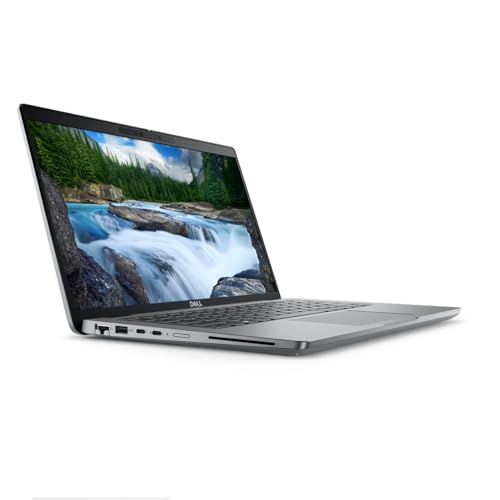
Dell has long been one of the most trusted names in personal computing, offering reliable machines across worker, or a business professional, Dell’s laptop lineup covers the essentials without unnecessary complexity. This roundup focuses on three standout models: the Dell Latitude 5440, the Dell Latitude 5540, and the Dell Inspiron 15.
Each of these laptops targets a slightly different buyer, but all three share Dell’s commitment to solid build quality, practical performance, and dependable displays. Understanding what separates them helps you make a more informed purchase decision.
Quick Answer
The Dell Latitude 5440 is the best compact business option, the Latitude 5540 upgrades to a larger screen and faster processor, and the Inspiron 15 is the most feature-rich choice for students and home users. All three offer 16GB RAM and Full HD displays, making them strong everyday performers in their respective categories.
Key Takeaways
- All three laptops feature 1920 x 1080 Full HD displays for clear, sharp visuals
- The Latitude 5440 and 5540 are certified business-grade machines; the Inspiron 15 targets students and home users
- The Inspiron 15 includes a touchscreen, Windows 11 Pro, and lifetime Microsoft Office, adding strong value
- The Latitude 5540 offers the largest storage at 512GB SSD and a 15.6″ screen with an Intel Core i7 processor
- Renewed (refurbished) options on the Latitude models offer significant cost savings without sacrificing core performance
- All three are solid choices for multitasking, video streaming, and productivity work
Dell Latitude 5440: Compact Business Performance
The Dell Latitude 5440 is a 14-inch business notebook powered by the Intel Core i5-1335U, a 10-core 13th Gen processor built for efficiency. It comes with 16GB DDR4 RAM and a 256GB SSD, making it a lean, capable machine for everyday professional tasks.
Who Is the Latitude 5440 For?
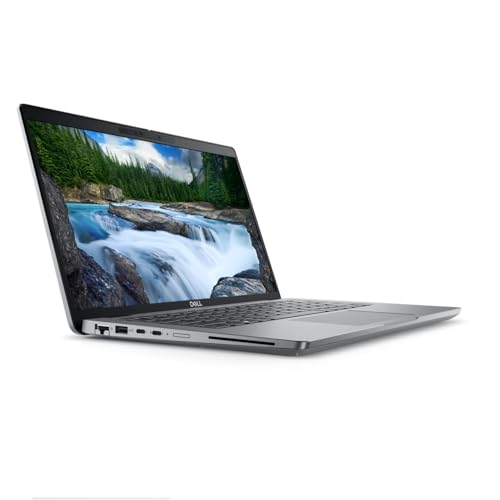
This laptop is best suited for business users and professionals who prioritize portability. The 14-inch form factor keeps it light and easy to carry, while the 16GB of RAM ensures smooth multitasking across multiple applications and browser tabs.
Key specs:
- 14″ Full HD (1920 x 1080) display
- Intel Core i5-1335U (10 cores)
- 16GB DDR4 RAM
- 256GB SSD
- Renewed (certified refurbished)
The 256GB SSD may feel limiting for users who store large media libraries locally, but for professionals working primarily in cloud environments, it is more than sufficient. The SSD also ensures fast boot times and near-instant resume from sleep.
What to Watch Out For
Because this is a renewed unit, buyers should confirm the seller’s refurbishment standards. Dell-certified renewed laptops typically undergo testing and cleaning, but storage and cosmetic condition can vary. It currently ranks #928 in Traditional Laptops on Amazon, reflecting strong buyer confidence.
Dell Latitude 5540: Upgraded Power and Screen Real Estate
The Dell Latitude 5540 steps up the Latitude line with a 15.6-inch Full HD display and an Intel Core i7-1355U processor. Storage doubles to 512GB SSD, and the 16GB DDR4 RAM remains consistent with the 5440.
Who Is the Latitude 5540 For?
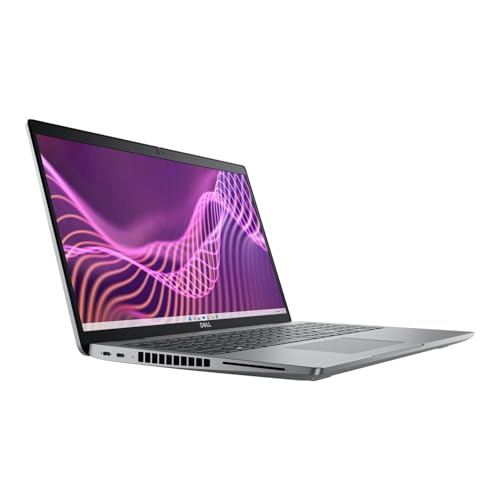
This model is ideal for power users who need more processing headroom, whether for data analysis, light creative work, or running demanding business applications. The larger comfort matters.
Key specs:
- 15.6″ Full HD (1920 x 1080) display
- Intel Core i7-1355U (10 cores)
- 16GB DDR4 RAM
- 512GB SSD
- Renewed (limited stock available)
The jump from i5 to i7 provides noticeably faster single-core and multi-core performance, which translates to snsheets, video conferencing, or multiple virtual desktops, the i7 upgrade is worth considering.
If you are thinking about connecting this laptop to an external monitor, our guide on how to set up dual monitors with HDMI covers everything you need to know about expanding your workspace.
Dell Inspiron 15: Best Value for Students and Home Users
The Dell Inspiron 15 is the most feature-packed option in this group, particularly for non-business buyers. It features a 15.6-inch Full HD IPS touchscreen, an Intel Core i5-1334U processor, 16GB RAM, and a total of 1TB of storage (512GB SSD plus a 500GB external drive). It also ships with Windows 11 Pro and lifetime Microsoft Office.
Who Is the Inspiron 15 For?
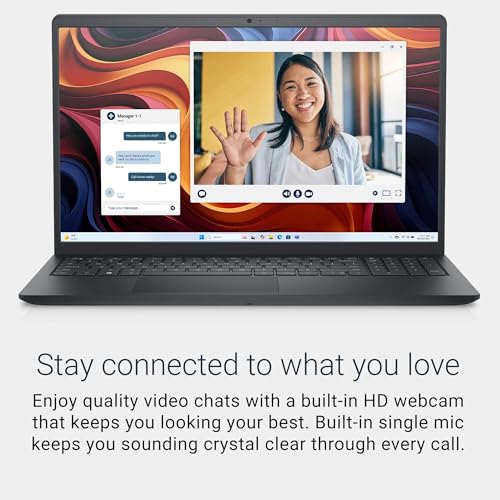
This laptop is built for students, home users, and small business owners who want a complete out-of-the-box experience. The touchscreen adds intuitive navigation, the bundled accessories reduce setup costs, and the lifetime OfficeHD IPS Touchscreen (1920 x 1080)
- Intel Core i5-1334U (10 cores, up to 4.6GHz)
- 16GB DDR4 RAM
- 512GB NVMe SSD + 500GB external drive
- Windows 11 Pro
- Lifetime Microsoft Office included
- Bonus accessories: USB-C hub, HDMI cable, wireless mouse, and more
It currently ranks #172 in Traditional Laptops, making it one of the best-selling laptops in its category. The inclusion of a 6-in-1 USB-C docking station hub is particularly useful for users who want to connect to external monitors or peripherals without buying additional adapters.
For anyone concerned about display quality and eye comfort during long work sessions, our guide on how to prevent digital eye strain offers practical tips that apply to laptop users as well.
Comparing the Three Dell Laptops
When comparing the Latitude 5440 vs the Latitude 5540 vs the Inspiron 15, the differences come down to screen size, processor tier, storage, and intended use case. Compared to the Latitude models, the Inspiron 15 offers significantly more bundled value but is aimed at a consumer rather than enterprise audience.
| Feature | Latitude 5440 | Latitude 5540 | Inspiron 15 |
|---|---|---|---|
| Screen Size | 14″ | 15.6″ | 15.6″ |
| Resolution | 1920 x 1080 | 1920 x 1080 | 1920 x 1080 |
| Touchscreen | No | No | Yes |
| Processor | Core i5-1335U | Core i7-1355U | Core i5-1334U |
| RAM | 16GB DDR4 | 16GB DDR4 | 16GB DDR4 |
| Storage | 256GB SSD | 512GB SSD | 512GB SSD + 500GB Ext |
| OS | Windows (Renewed) | Windows (Renewed) | Windows 11 Pro |
| MS Office | Not included | Not included | Lifetime license |
| Condition | Renewed | Renewed | New |
| Best For | Portable business use | Power business use | Students/home users |
The Latitude 5540 wins on raw processing power and screen size. The Inspiron 15 wins on total value and bundled extras. The Latitude 5440 wins on portability and price efficiency for business users.
For users interested in exploring other reliable monitor and display brands alongside their new laptop, our overview of ViewSonic monitors and Acer monitors can help round out your setup.
Conclusion
All three Dell laptops deliver solid Full HD displays, capable processors, and sufficient RAM for everyday computing. The right choice depends on your specific needs: the Latitude 5440 for compact business portability, the Latitude 5540 for upgraded power in a larger form factor, and the Inspiron 15 for the best all-in-one value package for students and home users. Each model reflects Dell’s consistent approach to building dependable, practical machines across different price points and user profiles.
FAQs
Is the Dell Latitude 5440 good for everyday business use?
Yes. The Latitude 5440 handles standard business tasks like email, document editing, video calls, and web browsing with ease. Its 16GB RAM and fast SSD make it responsive and efficient for daily professional workflows.
What is the difference between the Latitude 5440 and 5540?
The main differences are screen size (14″ vs 15.6″), processor tier (i5 vs i7), and storage capacity (256GB vs 512GB SSD). The 5540 is better for heavier workloads, while the 5440 is more portable.
Does the Dell Inspiron 15 come with Microsoft Office?
Yes. The Inspiron 15 listed here includes a lifetime Microsoft Office license as part of the Marxsol add-on bundle, along with accessories like a USB-C hub, wireless mouse, and external hard drive.
Are renewed Dell laptops reliable?
Renewed laptops that have been tested and certified can offer reliable performance at a lower cost. It is important to buy from reputable sellers and check the warranty terms before purchasing.
Is 16GB RAM enough for a remote work laptop?
For most users, 16GB RAM is sufficient for multitasking, web browsing, productivity apps, and light creative work. It handles everyday computing tasks comfortably without performance bottlenecks.
This article was last updated on July 30, 2026 .
